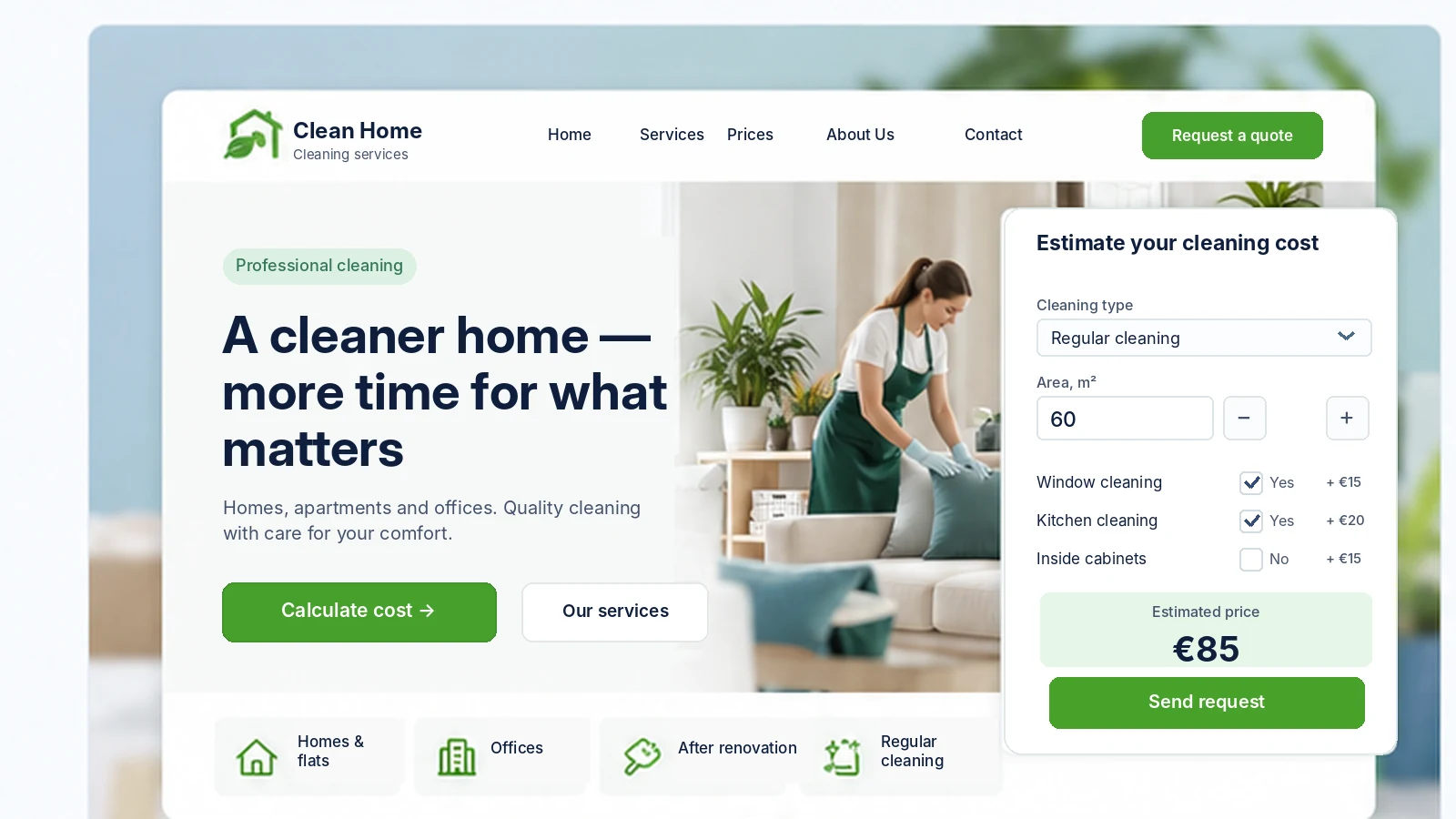
What you will be able to do on your website
By the end of the course, you will be able to build a website with the essential features for presenting cleaning services and receiving inquiries.
Present services
Show types of cleaning, descriptions of the work, and additional services.
Display prices
Publish rates and explain what determines the cost of cleaning.
Calculate costs
Offer customers an estimated price based on area, type of cleaning, and additional services.
Receive online inquiries
Collect inquiries with contact details and the parameters of the selected cleaning service.
Build trust
Tell visitors about the company and show real photos, advantages, and customer reviews.
Work on mobile
Offer a convenient website where customers can explore services and submit an inquiry from their smartphones.
How does the course work?
You will move step by step, adding new features to your website.
8 practical missions
From describing the business to publishing a website with a working calculator and inquiry form.
Step-by-step instructions
At each stage, you will receive explanations, ready-to-use Lovable prompts, and visual examples.
Gradual progress
After each mission, your website will gain a new page or feature. You will be able to test the result right away.
What you will need
A Lovable account and internet access. The paid Lovable Pro plan is recommended for the practical work and is billed separately. No coding skills are required.
Estimated duration: 8–12 hours of hands-on work. You can take the course at your own pace.
Your result
By the end of the course, you will have a published cleaning company website where visitors can explore services, get an estimated cost, and submit inquiries.
You will learn to update the website content yourself, add services, adjust prices, and improve its design with AI.
8 missions. One working business website. New skills for your next projects.
Course program: 8 practical missions
- 01
Plan a cleaning company website
Identify which services your company offers, who needs them, and which areas you serve. Prepare the information and structure for your future website.
- 02
Create the home page
Use Lovable to create the first version of your website. Add the company name, main offer, photos, navigation, and a button leading to the cost calculator.
- 03
Add services and prices
Create a section for regular cleaning, deep cleaning, and post-renovation cleaning. Describe what each service includes, additional work, and the rules for calculating prices.
- 04
Tell visitors about the company
Add information about the company, its service area, and how to get in touch. Learn to create convincing sections without fabricated reviews or unsubstantiated claims.
- 05
Create a cost calculator
Add an interactive form: the customer selects the type of cleaning, floor area, and additional services. The website calculates an estimated price based on the rules you set.
- 06
Set up inquiry handling
Create a form that sends the selected service, cleaning parameters, and the customer’s contact details. Set up inquiry storage and notifications. Test submitting an inquiry.
- 07
Refine the website for customers
Check the mobile version and the usability of buttons and forms, and fix errors. Add the necessary informational pages and prepare the website for publication while taking personal-data requirements into account.
- 08
Publish and test the website
Publish your website online. Walk through the full customer journey: from choosing a cleaning service and calculating the price to submitting and receiving an inquiry. Learn how to update the website after launch.